Access stays under your control
Each company has its own OSNOVA instance. Fixed rules check every action against access and approval requirements.
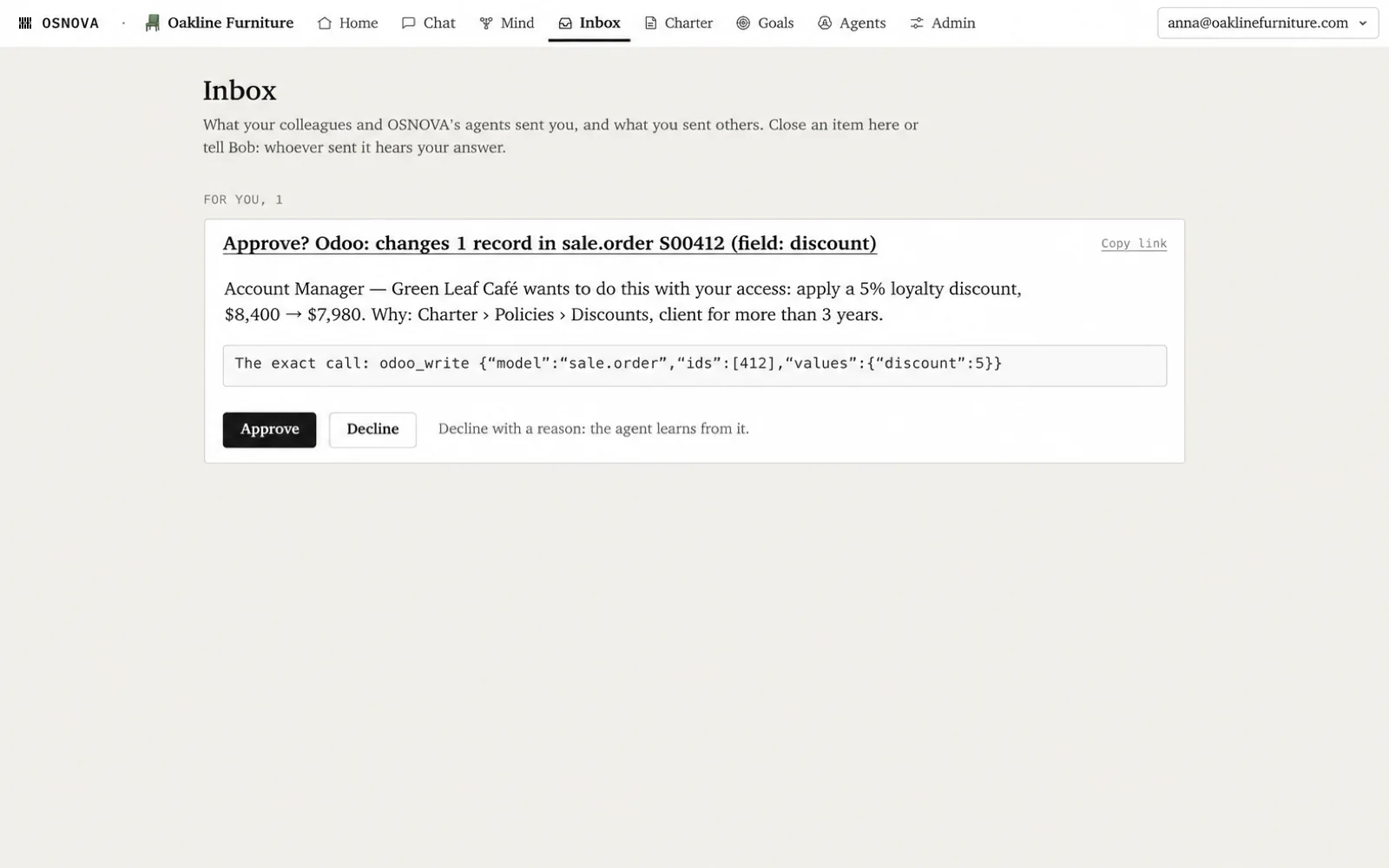
Agents can't do what you didn't allow
What happens before any action
Your own direct requests run at once, without the check. Preapproved action types run without a prompt, still checked. A new outside address always asks.
Your own instance
Your agents, rules and company memory are set up for your company alone. AI models run on your company's own key.
One OSNOVA instance for your company. We run it for you, and it is not shared with other companies.
Whose access an agent uses
The access used for a request depends on who asked and who owns the agent.
| Who starts it | Access used | Who approves when needed |
|---|---|---|
| You ask Bob or an agent | Your own access | Runs at once: it is your direct request. |
| An agent woken by Mind | Its owner's access | The owner, when the action needs approval. |
| A colleague's request | The colleague's access, never the owner's | The colleague. Access never widens along a chain of agents. |
| An agent nobody owns | Only its own and the company's connections | It cannot run such actions; it sends a person an Inbox item. |
Every agent action is checked
Fixed rules check every action an agent takes, without an AI model. The result is run, ask or refuse. A person's own request in their chat runs as they asked. Writes to connected apps require the company's permission and the person's yes.
- Reading, except credentials.
- Inbox actions and reading the Charter.
- Drafts and comments, goals and Mind.
- A person's own direct request.
- An action type on the company's preapproved list or the person's own list.
- Any other action that changes something.
- A send to a new outside address, even when the send type is preapproved.
- A Charter change proposed by an agent, asked of its owner.
- A write to a connected app the person has not yet said yes to.
Approval stays personal
The card goes only to the person whose access the action uses. It shows the exact action and the reason. Admins cannot approve for anyone.
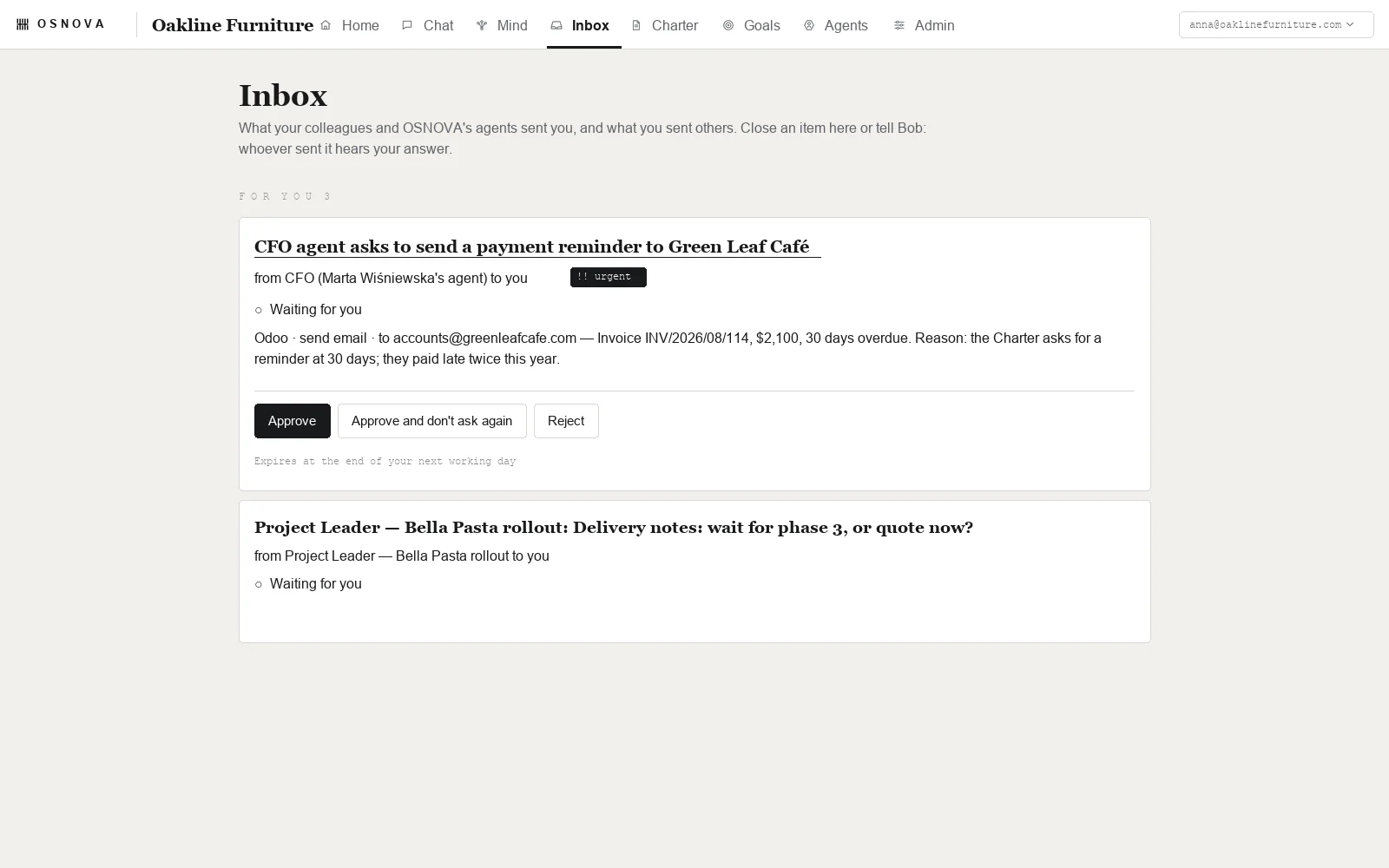
OSNOVA prepares, a person decides
Four moments from our cases where the last word stayed with a person.
- In a pharmacy chainA medicine will be late. OSNOVA found every patient who needs it.The head pharmacist decided what to do before anyone was told.
- At a furniture makerThe owner asked for a product configurator. OSNOVA built it in a test copy of the company system.The owner tried it, and IT decided when it went live.
- In a pharmacy chainA supplier sent an NDA. OSNOVA compared it with the company standard and found two problems.The outside lawyer decided what to accept.
- In a restaurant groupSomeone tried to break into the booking system. OSNOVA warned every manager at once.Each manager changed their own password, with OSNOVA’s help.
One morning at a furniture maker
Four actions, four different answers. All four are in the log.
- 08:02Tom asks Bob to draft a quote for Stone & Steel.His own direct request, with his access.Runs
- 08:14The CFO agent wants to email Green Leaf Café a payment reminder.Marta’s access. This type is not preapproved.Asks Marta
- 09:30An Account Manager agent wants to send the price list to an address it has never used.A new outside address always asks, even for a preapproved send.Asks Tom
- 10:05An agent nobody owns wants to change an order in Odoo.It may not run such actions. It sends Piotr an Inbox item instead.Goes to a person
Preapproval you control
An action type combines a system and an operation, such as "Jira · comment". Live and test environments are separate types.
Rules checked twice
Before an agent makes a change, it receives the Charter documents that apply. When a person approves the action, policies are checked again; if one has changed, the action does not run. An agent's proposed Charter changes are always asked of its owner and made in the approver's name.
Protected from planted instructions
The action check reads the action and its details, not emails, documents, memory or the agent's reasoning. A preapproved action type is trusted for any call of that type, so choose preapprovals with care.
A record of every check
- What is recordedEvery check logs when it happened, whose access was used, the action and its details, the reason and the decision.
- How long it is keptEntries are kept for 180 days.
- Who can see itEach person sees their own entries. Admins see the whole log.
Keys and credentials
- Sign-in to your toolsConnections use standard sign-in with minimal permissions. The account is checked against the person; if it does not match, the tokens are deleted.
- TokensEncrypted in the person's own store. Nothing else reads them.
- Your AI keyYour company adds its own Anthropic key. It stays on the server; only its last four characters are shown back.
- Model callsOne gateway records usage and cost. Call content is stored only if an admin enables tracing, for 1, 7, 14 or 30 days.
- No secrets in the CharterThe Charter refuses changes that contain secrets such as API keys, tokens or private keys.
What to know before rollout
- Conversations with Bob in shared channels are readable by everyone there. Direct messages with Bob stay private, even from admins. People can see what Bob knows about them and use Forget.
- “Approve and don't ask again” covers the whole action type, so preapprove with care.
- The check log is kept for 180 days.
- Call content is stored only if an admin turns on tracing, for 1 to 30 days.
- Your partner implements OSNOVA and connects your systems.
Roles
OSNOVA has two roles: admin and member. Admins invite and deactivate people and manage settings. People sign in with a passkey or password; Slack and Teams accounts are linked to a person.
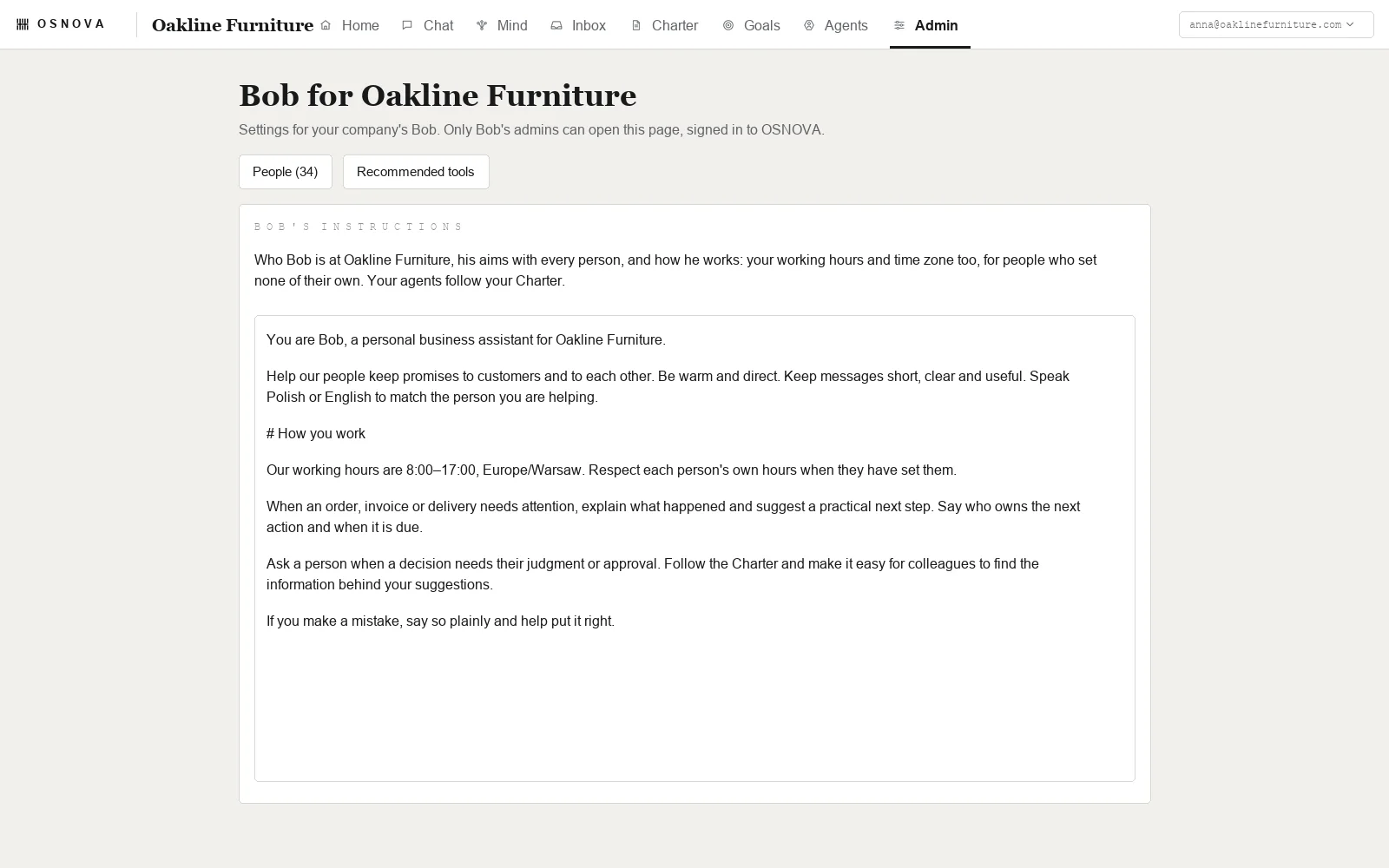
Admins set the frame, not the decisions
Admins invite people, manage settings, tell Bob how to work and choose which action types the whole company preapproves. Approving an action stays with the person whose access it uses.
Common questions
- Can an admin approve an action for me?
- No. Only the person whose access the action uses can decide.
- Can an agent use its owner's access for someone else's request?
- No. It uses the requester's access, and access does not widen as the request passes through a chain of agents.
- Can an approved send reach a new outside address?
- Not without asking. A send to a new outside address always asks the person first.
- What happens if the Charter changes before I approve?
- The applicable policies are checked again on approval. If one has changed, the action does not run.
- Is model call content stored?
- Only if an admin enables tracing, for 1, 7, 14 or 30 days. Usage and cost are recorded for every call.
See access in action
Explore how OSNOVA checks actions and keeps approval with the person whose access is used.